Edit a Word document online, free, without Microsoft Office
Open a .docx in your browser, fix the text, update a table or swap a picture, and save it back as a Word file that still looks right in Word. Or export it as a PDF in the same step.
- Free account, no credit card
- Nothing to install
- Saves as .docx or PDF
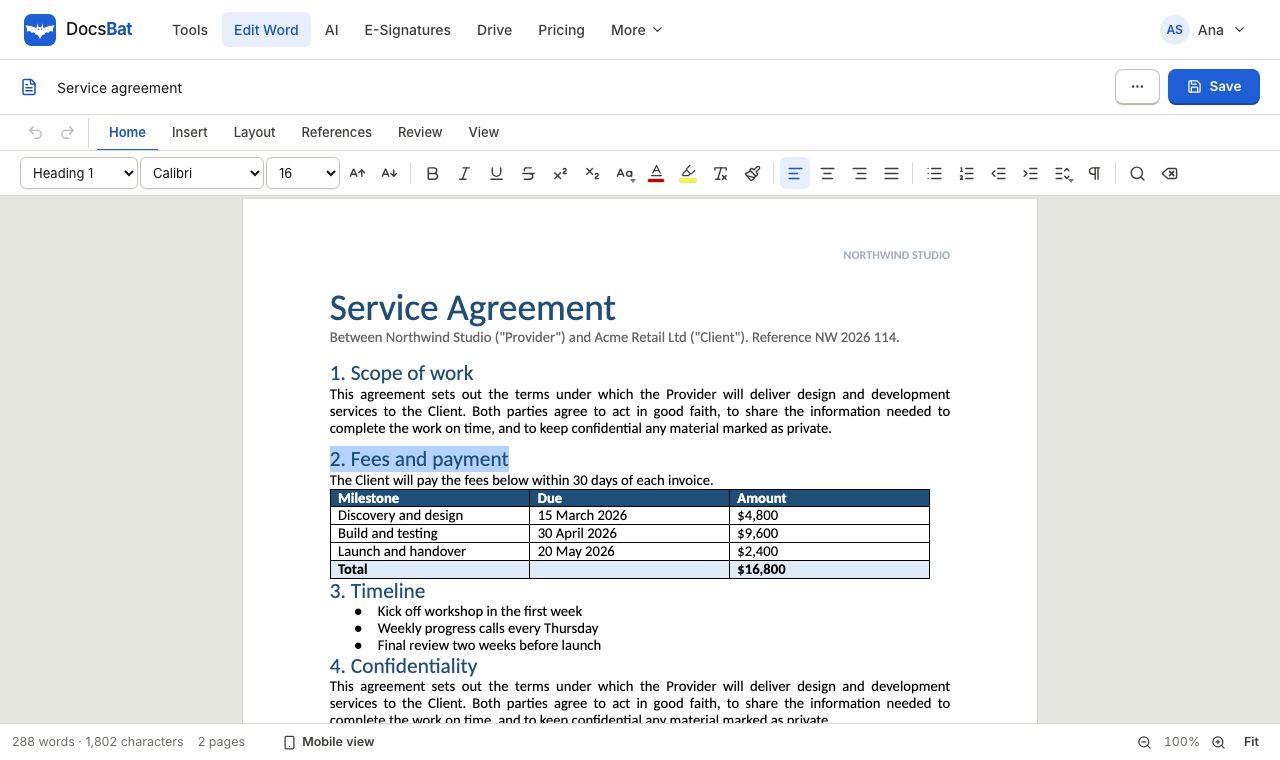
When you just need to change a few things in a .docx
Someone sends you a contract, a CV or a form letter as a Word file and you need to correct a date, add a paragraph or update a price. You do not have Microsoft Office on this computer, the licence expired, or you are on a borrowed laptop. Installing a whole office suite for a two minute change makes little sense.
The DocsBat Word editor opens the .docx right in your browser. You click into the text and type, the way you would in Word. When you save, DocsBat writes your changes back into the original file. Parts you did not touch, such as styles, headers, footers and comments, are kept as they were, so the document still opens cleanly in Word for the next person.
The editor is free with a DocsBat account. Sign up takes a username and a password, with no credit card. Your edited files are saved to your private Drive, so you can come back to them later from any device.
Why edit Word files with DocsBat
Runs in the browser
Chrome, Edge, Firefox and Safari on Windows, Mac, Linux and Chromebook. There is nothing to download or install.
Stays a real Word file
Your edits are written into the original .docx. What you did not change is kept as it was, so the file looks the same in Word afterwards.
Familiar formatting
Bold, italic, underline, strikethrough, superscript, subscript, fonts, sizes, colours and highlight, plus headings and lists.
Tables, pictures and links
Change the text in table cells, add pictures and links, and insert page breaks where a new page should start.
Word or PDF
Save as .docx to keep editing later, or export a PDF to send a version that nobody will change by accident.
Kept in your Drive
Edited documents are saved to your private Drive with 1 GB free, ready to download, share or send for signature.
Edit a Word document online in 3 steps
- 1
Open your .docx
Sign in, open the Word editor and drop in a .docx file, or pick one from your Drive. If the file has a password to open, type it when asked.
- 2
Make your changes
Click into the text and type. Format words with the toolbar, update lists and tables, add pictures and links, and insert page breaks.
- 3
Save as Word or PDF
Save the document back as .docx, or export a PDF. The result is stored in your Drive and downloads to your device.
What you can change in the editor
- Text and paragraphs
- Rewrite sentences, add or delete paragraphs and fix typos anywhere in the body of the document.
- Character formatting
- Bold, italic, underline, strikethrough, superscript and subscript, plus font, size, text colour and highlight.
- Headings and lists
- Turn a line into a heading, start a bulleted or numbered list, or continue one that is already there.
- Tables
- Edit the text inside table cells. The table keeps its borders, shading and widths from the original file.
- Pictures and links
- Insert a picture from your device and add web links to words or phrases.
- Page breaks
- Start the next part of the document on a new page, exactly as a page break in Word does.
- Password protected files
- A .docx that needs a password to open can be edited after you enter the password you already have.
- Export to PDF
- Get a PDF of the edited document with its fonts, lists, tables, pictures, headers and footers.
What the free plan includes
- The Word editor with a free account, saving as .docx or PDF.
- 17 Word tools, such as Word to PDF, Merge Word and Find and Replace, with 10 tool tasks a day.
- Files up to 25 MB and 1 GB of Drive storage.
- 3 signature envelopes a month to send a document for e signature.
- Pro is $4 a month for unlimited tool tasks and envelopes, files up to 100 MB and 10 GB of storage.
Good to know before you start
- Only .docx files are supported (also .docm and .dotx). Old .doc files from Word 97 to 2003 need to be saved as .docx first in Word, LibreOffice or Pages.
- The editor shows your document in the browser with its fonts, spacing, lists and tables. Very complex layouts, such as text boxes laid over each other, may look simpler on screen than in Word.
- Headers, footers, comments and tracked changes are kept in the file, but you edit the body text. To change every header or footer at once, use Add Header and Footer. To finalise a reviewed file, use Accept All Changes.
- Need to change one word everywhere, including headers and footnotes? Find and Replace in Word does it in one pass.
Edit, then finish the job in the same place
Once the document says what it should, the next step is often to send it. From DocsBat you can convert it to PDF, protect it with a password, add a DRAFT or CONFIDENTIAL watermark, or send it for signature. Every result lands in your Drive, so there is no trail of downloads to keep track of.
Frequently asked questions
Can I edit a Word document online without Microsoft Office?
Yes. DocsBat opens .docx files in your browser and saves your changes back into the file. You do not need Word, Office or any other software installed.
Is the Word editor really free?
Yes, with a free DocsBat account. Sign up with a username and password, no credit card. The free plan includes the editor, 10 tool tasks a day, files up to 25 MB and 1 GB of Drive storage.
Do I need an account to edit?
Yes, the editor needs a free account so your documents can be saved to your own Drive. The Word tools, such as Word to PDF, can be tried 3 times a day without an account.
Will the file still look right when I open it in Word?
Yes. DocsBat changes only the parts you edited. Styles, headers, footers, comments and the rest of the file are kept as they were.
Can I open an old .doc file?
Not yet. Open it in Word, LibreOffice or Pages and save it as .docx, then open that file in DocsBat.
Can I edit a password protected Word file?
Yes, if you know the password. Enter it when the editor asks and the document opens as usual. To remove the password for good, use Unlock Word.
Can several people edit the same document at once?
No. DocsBat edits one copy at a time and is not a real time collaboration tool. You can share a link to the saved file from your Drive.
Related features and tools
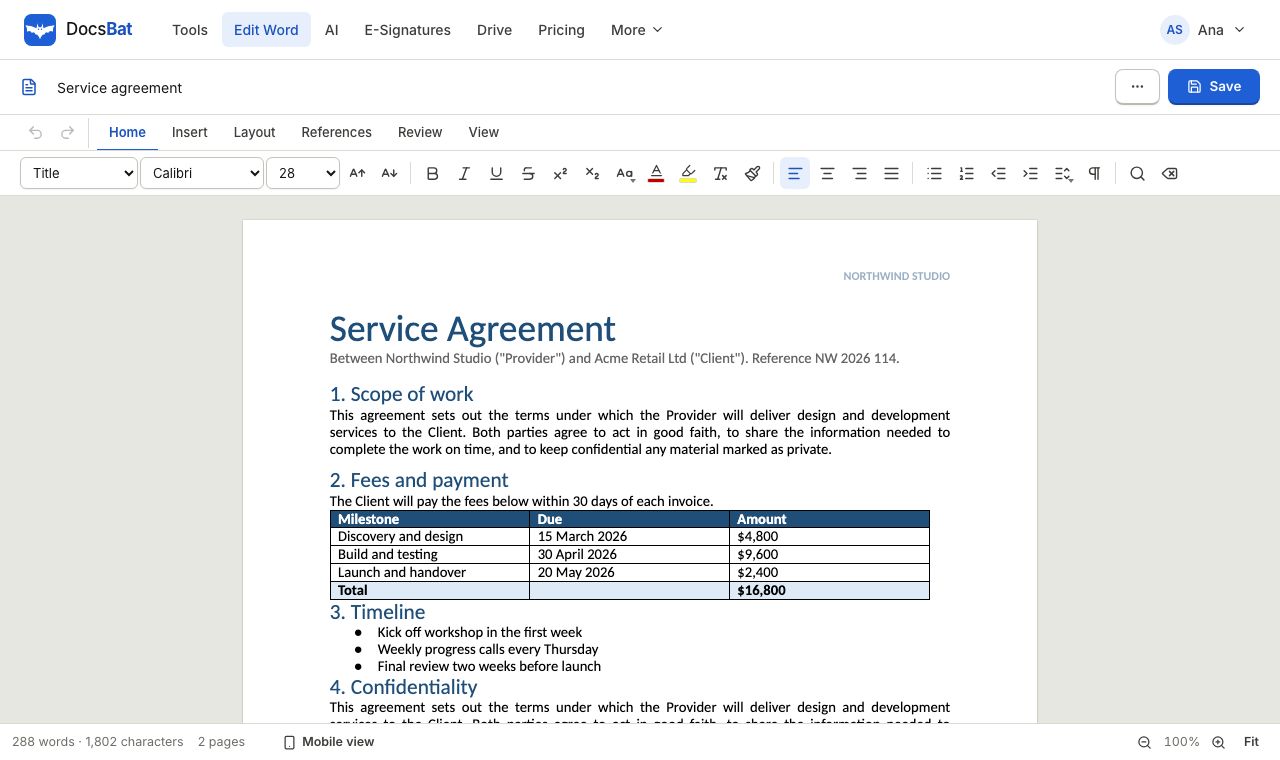 Word EditorOpen a .docx in your browser, edit text, lists, tables and pictures, and save it back as Word or PDF.
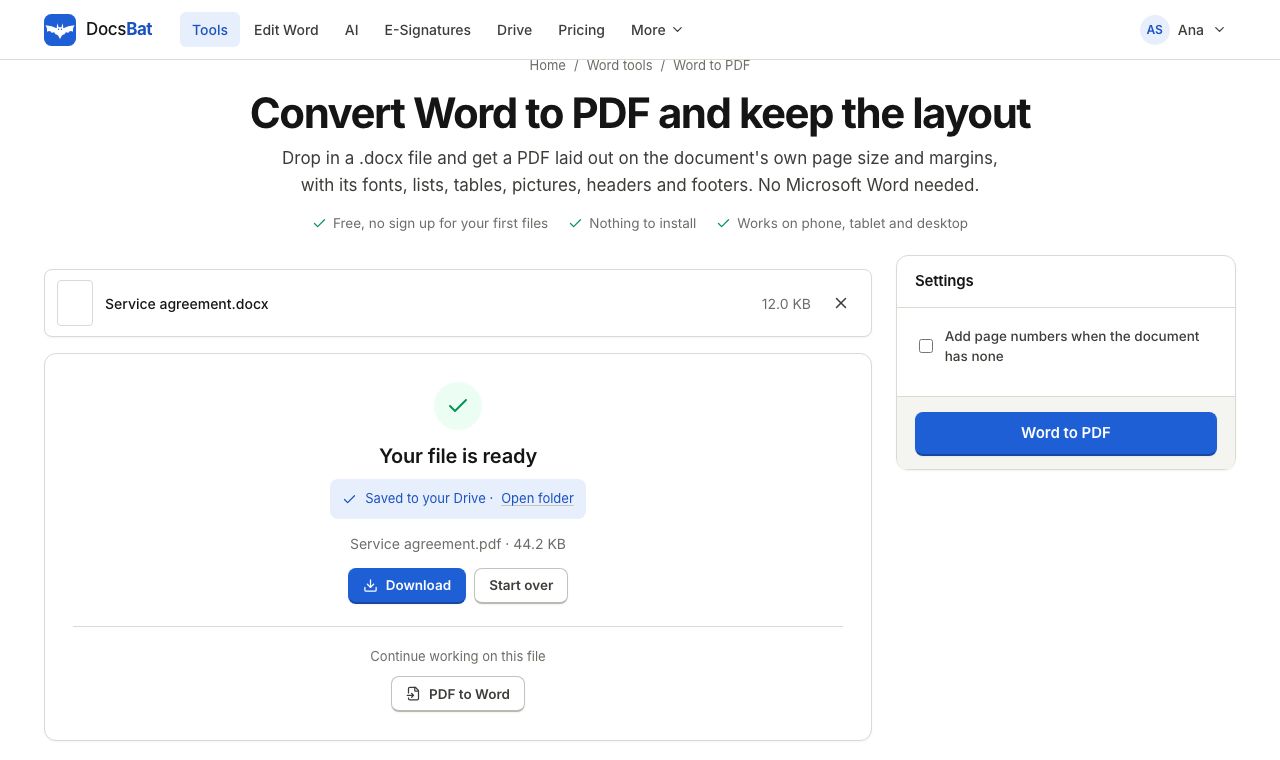 Word to PDFTurn a .docx into a PDF that keeps its fonts, lists, tables, pictures, headers, footers and page numbers.
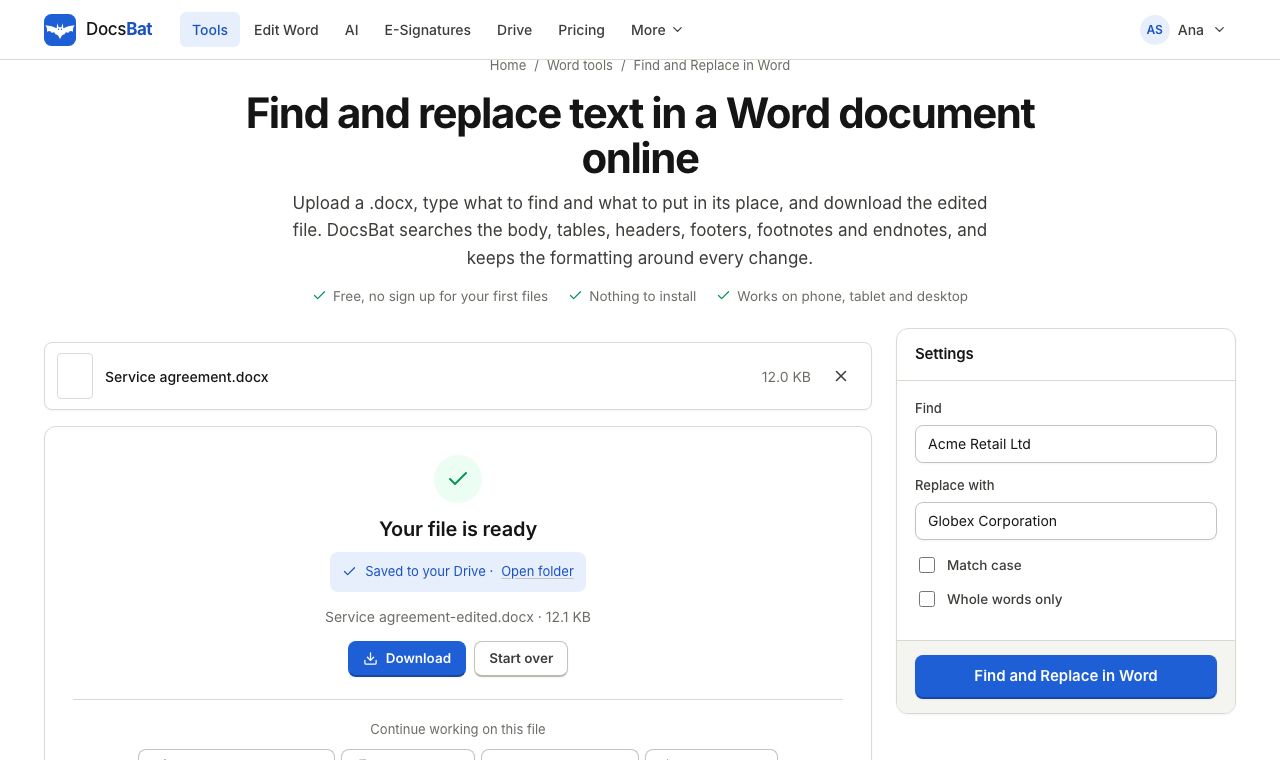 Find and Replace in WordReplace a word or phrase everywhere in a Word file, including headers, footers, tables and footnotes, keeping the formatting.
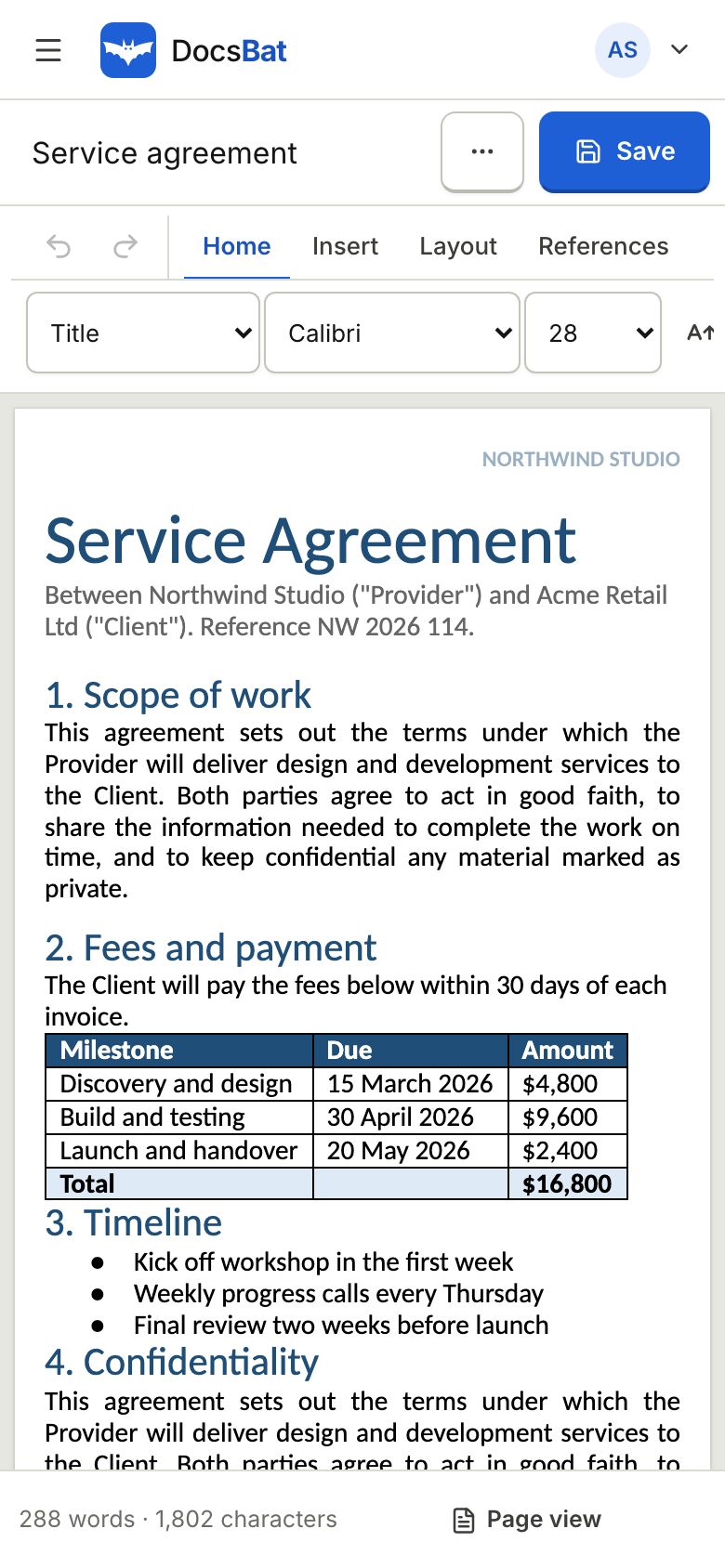 Edit DOCX on iPhone and AndroidEdit Word files on your phone or tablet in Safari or Chrome, then save them as .docx or PDF. No app to install.
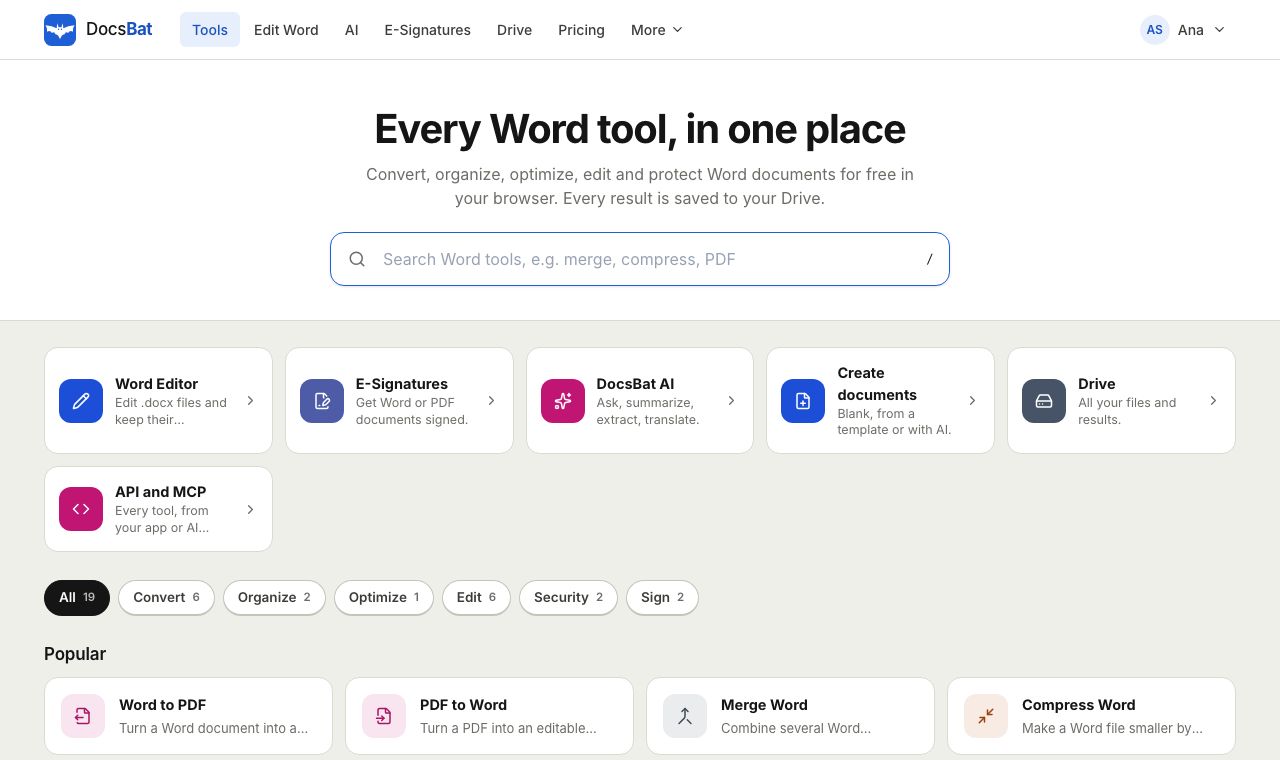 Free Word Tools17 free tools to convert, merge, split, compress, edit and protect Word documents in your browser.
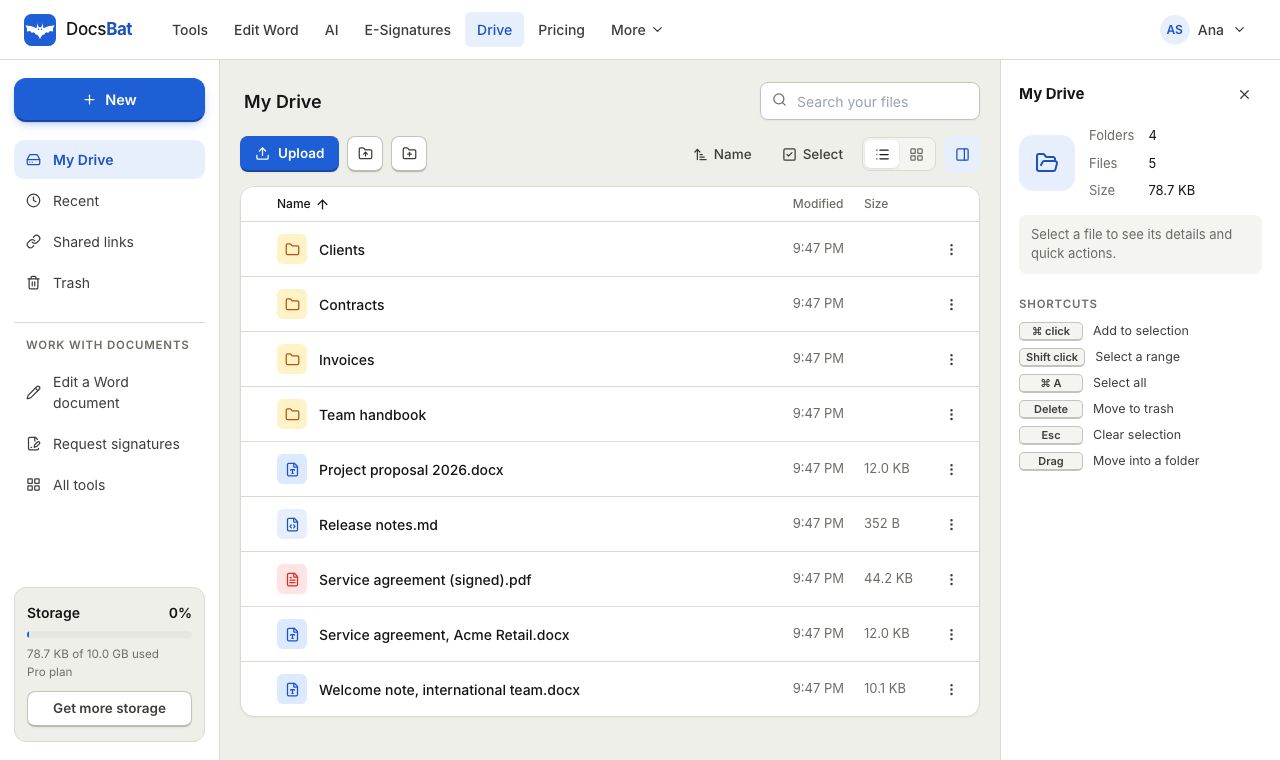 Cloud DrivePrivate cloud storage for Word documents and PDFs, with folders, share links and every tool result saved automatically.
Edit your Word document now
Create a free account in seconds and open your .docx in the browser. No credit card, nothing to install.