E signatures for Word and PDF documents, without the big price
Upload a .docx or a PDF, add your recipients, drop signature fields where they belong and send. Signers sign from any device with no account, and you get a sealed PDF with a full certificate of completion.
- 3 envelopes a month free
- Signers need no account
- Pro unlimited for $4/mo
Everything a signing workflow needs, in one envelope
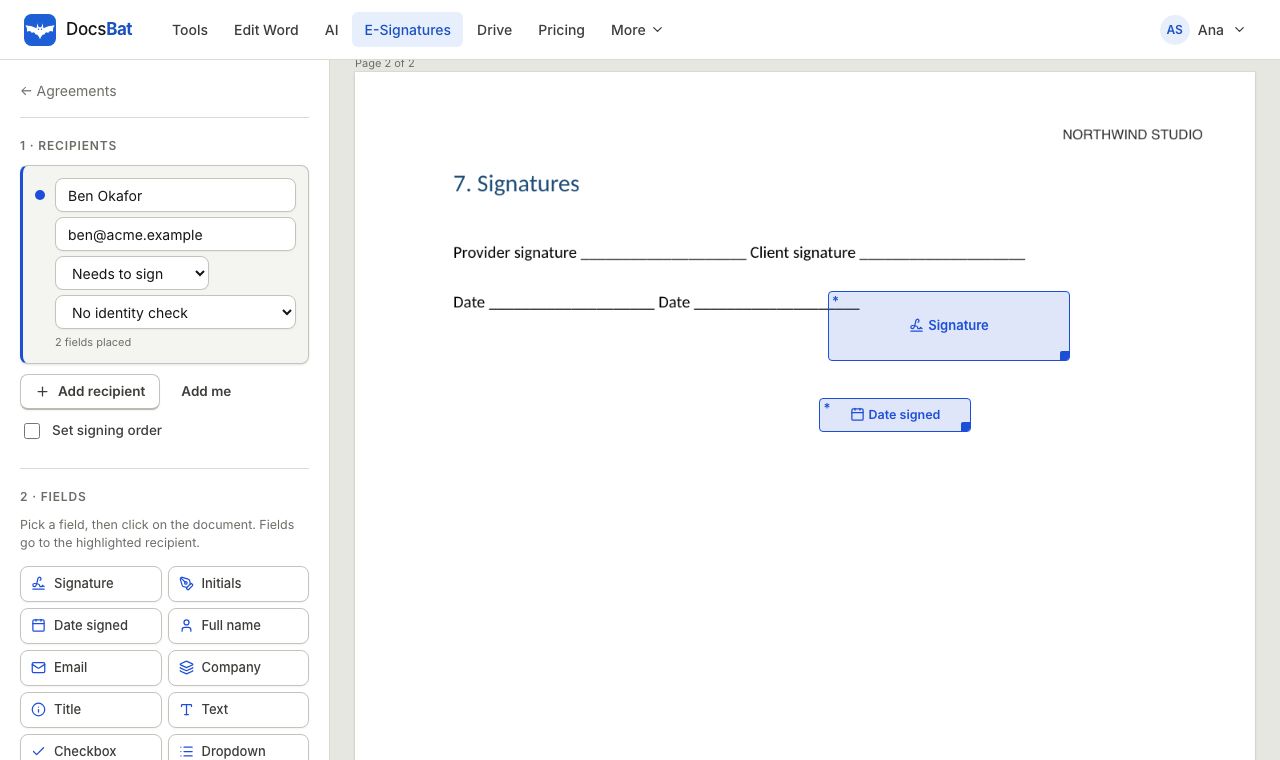
In DocsBat, every signature request is an envelope: one document, the people who need to sign or receive it, and the fields each of them must complete. You prepare it once in the browser, press send, and DocsBat emails each signer a private link. Nobody needs to install anything or create an account to sign.
Your document can start as a Word file. DocsBat converts the .docx to PDF with the same engine as Word to PDF, keeping fonts, tables, pictures, headers and footers, so every signer sees exactly the same fixed pages. Signing always happens on that PDF, which is why the finished document is a PDF too.
When the last person signs, DocsBat draws every value onto the pages, adds any files signers attached, appends a certificate of completion with the full audit trail, and seals the result with a digital signature. The finished PDF is emailed to you and every recipient, and a copy lands in the Signed folder of your Drive.
Electronic signatures are accepted for most everyday business documents under laws such as ESIGN in the United States and eIDAS in the European Union. Some documents, such as certain wills or court filings, have special rules, so check what applies to yours.
Why teams switch to DocsBat for signatures
Signers need no account
Recipients open a secure link from their email, review the document, sign and finish. It works in any modern browser on phone, tablet or desktop.
Signing order you control
Send to everyone at once, or route the envelope in sequence so each person is emailed only when it is their turn.
Identity checks
Ask a signer for an access code you share separately, or for a 6 digit code emailed to them, before the document opens.
Reminders and expiry
Set automatic reminders every few days and an expiry date, so envelopes do not sit unsigned forever.
Sealed, verifiable result
The final PDF carries a certificate of completion, the audit trail and a digital seal that shows if anyone changes the file later.
A fraction of the price
Send 3 envelopes a month free. Pro is $4 a month for unlimited envelopes, and it also unlocks unlimited Word tool tasks and bigger files.
Send a document for signature in 3 steps
- 1
Upload and add recipients
Upload a Word document or a PDF, or pick one from Drive. Add each person with a name and email, choose Signer or CC, and set the signing order if it matters.
- 2
Place the fields
Drag signature, initials, date, text, checkbox, dropdown and attachment fields onto the pages. Each field belongs to one recipient and is color coded.
- 3
Send and track
Press send. Watch each recipient move from sent to viewed to signed, send a reminder in one click, and download the sealed PDF when it completes.
Every e signature feature included
These features are available on both plans. Free accounts can send 3 envelopes a month; Pro sends unlimited envelopes.
- Signers and CC recipients
- Add as many recipients as the document needs. Signers complete fields; CC recipients do not sign but receive the finished, sealed PDF.
- Sequential or parallel routing
- Give recipients a routing order. In sequential mode, DocsBat emails the next group only when everyone in the current group has signed.
- Eleven field types
- Signature, initials, date, text, name, email, company, title, checkbox, dropdown and file attachment. Mark any field as required.
- Draw, type or upload a signature
- Signers can draw with a mouse, finger or stylus, type their name in a handwriting style, or upload a photo of their signature.
- Access code check
- Set a code of at least 4 characters for a recipient and share it by phone or text. The document stays closed until the code is entered.
- Email code check
- DocsBat emails the signer a 6 digit code that expires in 10 minutes. After 5 wrong attempts the link locks until you correct the recipient.
- Automatic reminders
- Choose a reminder interval of up to 30 days. Signers who have not finished get a reminder email each interval, and you can also remind by hand.
- Expiry dates
- Set an envelope to expire after up to 365 days. Expired envelopes close, you are notified by email, and you can duplicate and resend them.
- Reassign
- Allow signers to hand the envelope to a colleague. The reassignment, the new person and the reason are all recorded in the audit trail.
- Correct a recipient
- Fix a typo in a name or email after sending. DocsBat issues a fresh link and the old one stops working.
- In person signing
- Hosting a client at your desk? Open the signing session for a present signer on your own device, logged in the audit trail.
- Signer attachments
- Request an ID, a certificate or a supporting document. Signers upload a PDF or image up to 10 MB, and it is added to the final PDF.
- Decline and void
- Signers can decline with a reason, and you are emailed right away. You can void an envelope at any time before it completes.
- Audit trail and certificate of completion
- Every event is logged with a timestamp and IP address: sent, viewed, identity verified, signed, declined, reminders and more. The certificate lists each signer, their signature and the original file's SHA-256 hash.
- Digitally sealed PDF
- The completed document is sealed with a PKCS#7 digital signature, so any later change to the file invalidates the seal.
- Saved to your Drive
- Every completed envelope is saved to the Signed folder in your Drive and emailed to you and all recipients as an attachment.
What happens when everyone has signed
Completion is automatic. As soon as the last signer finishes, DocsBat builds the final document in this order:
- Every field value, signature and initial is drawn permanently onto its page.
- Files that signers attached are appended after the document.
- A certificate of completion is added with the envelope ID, sender, created and completed times, routing mode, each signer's details and signature, and the full audit trail.
- The whole file is sealed with a digital signature and its SHA-256 hash is recorded.
- The sealed PDF is emailed to you and every recipient, saved to your Drive, and announced to your webhooks.
If something interrupts the final step, DocsBat records the problem and retries automatically. The signatures themselves are already saved, so nobody has to sign again.
Who uses DocsBat E-Signatures
- Freelancers and agencies sending proposals, statements of work and contracts to clients.
- Landlords and property managers collecting leases, renewals and move in forms, with an ID requested as an attachment.
- HR teams sending offer letters, policies and onboarding forms, often as a template with bulk send.
- Small businesses that need a dependable signature workflow but do not want to pay per seat enterprise pricing.
- Developers who send envelopes from their own product using the DocsBat API and webhooks.
Signing a Word document: what to expect
Word files are not built for signatures: text reflows when fonts or screen sizes change, so a signature placed on page 3 could end up on page 4 on someone else's computer. Converting to PDF first fixes the layout for everyone, and the sealed PDF shows if anything is changed after signing.
- Finish your edits first, in the Word editor or in Word, then send the final version.
- Old .doc files are not supported. Save them as .docx before uploading.
- If the document needs page numbers before signing, add them with Add Page Numbers.
- Keep the original .docx in your Drive for later changes. The signed PDF is the record of what was agreed.
DocsBat compared with DocuSign
| Feature | DocsBat | DocuSign Personal |
|---|---|---|
| Price | Free (3 envelopes a month), Pro $4/mo unlimited | Paid plans, check their pricing page |
| Upload Word documents | Yes, converted to PDF for signing | Yes |
| Signers sign without an account | Yes | Yes |
| Audit trail and certificate of completion | Yes | Yes |
| Bulk send from a CSV file | Yes | Higher tier plans |
| Word editor and Word tools in the same account | Yes | No |
| Cloud Drive for all your files | 1 GB free, 10 GB with Pro | No |
Competitor details are based on their public plan pages in 2026 and can change. Check their site for current terms.
Frequently asked questions
Is DocsBat a real alternative to DocuSign?
For most small business signing it is. You get recipients, signing order, identity checks, reminders, expiry, templates, bulk send, public links, attachments, an audit trail and a sealed PDF, starting free and with Pro at $4 a month.
Can I send a Word document for signature?
Yes. Upload a .docx and DocsBat converts it to PDF before you place fields, so every signer sees the same pages. The signed result is a sealed PDF. Old .doc files need to be saved as .docx first.
Do signers need a DocsBat account?
No. Signers open the link in their email and sign in the browser. Only the sender needs an account, with a verified email address so recipients can see who the request is from.
How many documents can I send for free?
Free accounts can send 3 envelopes a month. Pro removes the limit, so you can send as many envelopes as you need for $4 a month.
Are DocsBat e signatures legally binding?
Electronic signatures are recognised for most business documents under laws such as ESIGN in the US and eIDAS in the EU. DocsBat records consent, identity checks, IP addresses and timestamps in an audit trail to support that. A few document types have special rules, so check if yours is one of them.
Can I see when someone opened the document?
Yes. Each recipient moves from sent to viewed to signed, and every view is logged in the audit trail with a timestamp and IP address.
What if I sent it to the wrong email address?
Open the envelope and correct the recipient. DocsBat sends a new link to the right address and the old link stops working.
Can I send envelopes from my own app?
Yes. The DocsBat API can create, send, remind and void envelopes, and webhooks tell your app when a recipient signs or an envelope completes.
Related features and tools
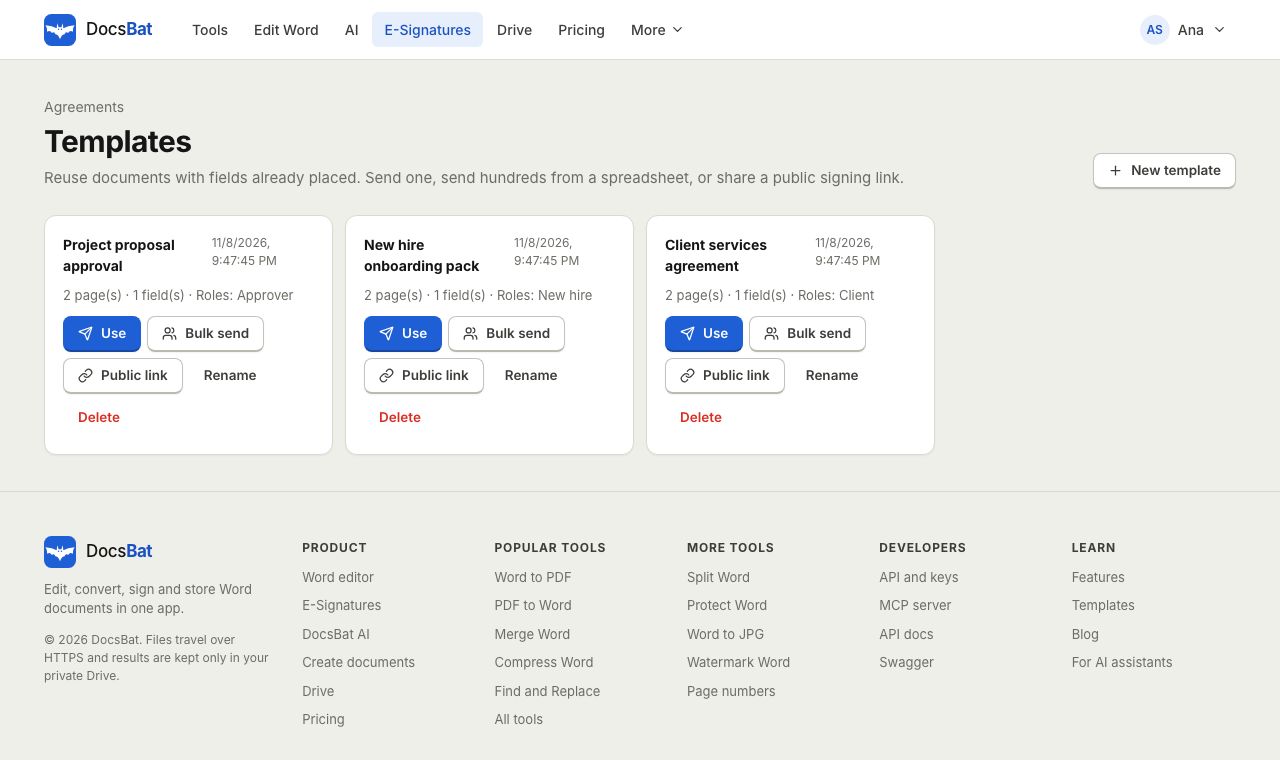 Templates and Bulk SendSave any envelope as a reusable template, send it to hundreds of people from a CSV, or publish a public signing link.
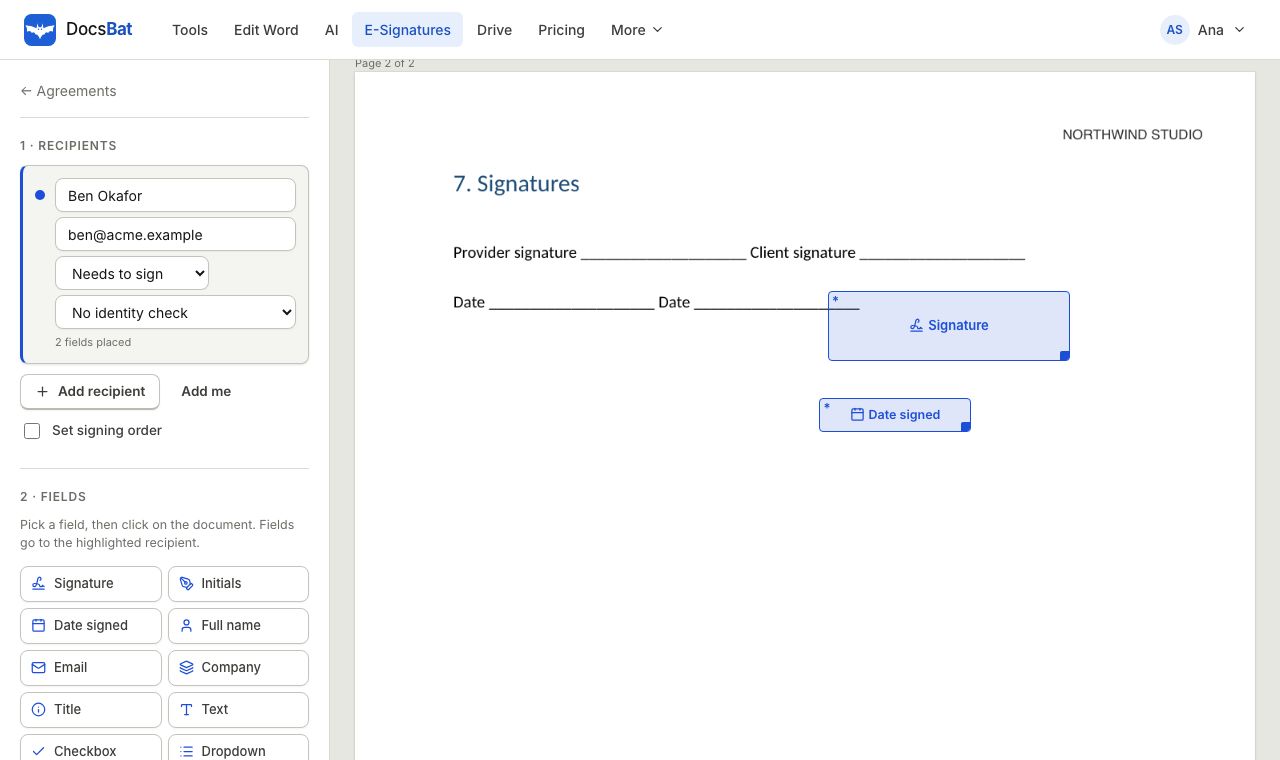 Sign a Word document onlineSend a Word file for e signature. DocsBat turns it into a PDF, signers sign on any device with no account, and you get a sealed PDF.
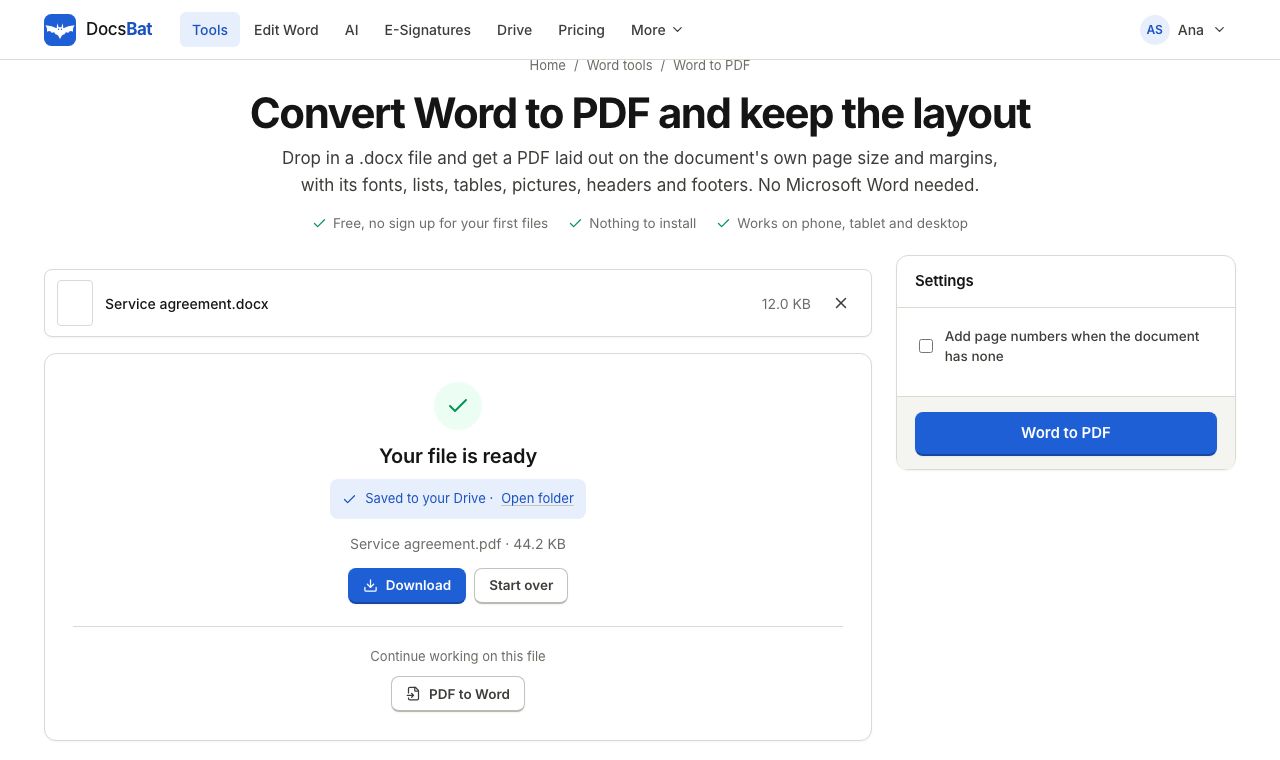 Word to PDFTurn a .docx into a PDF that keeps its fonts, lists, tables, pictures, headers, footers and page numbers.
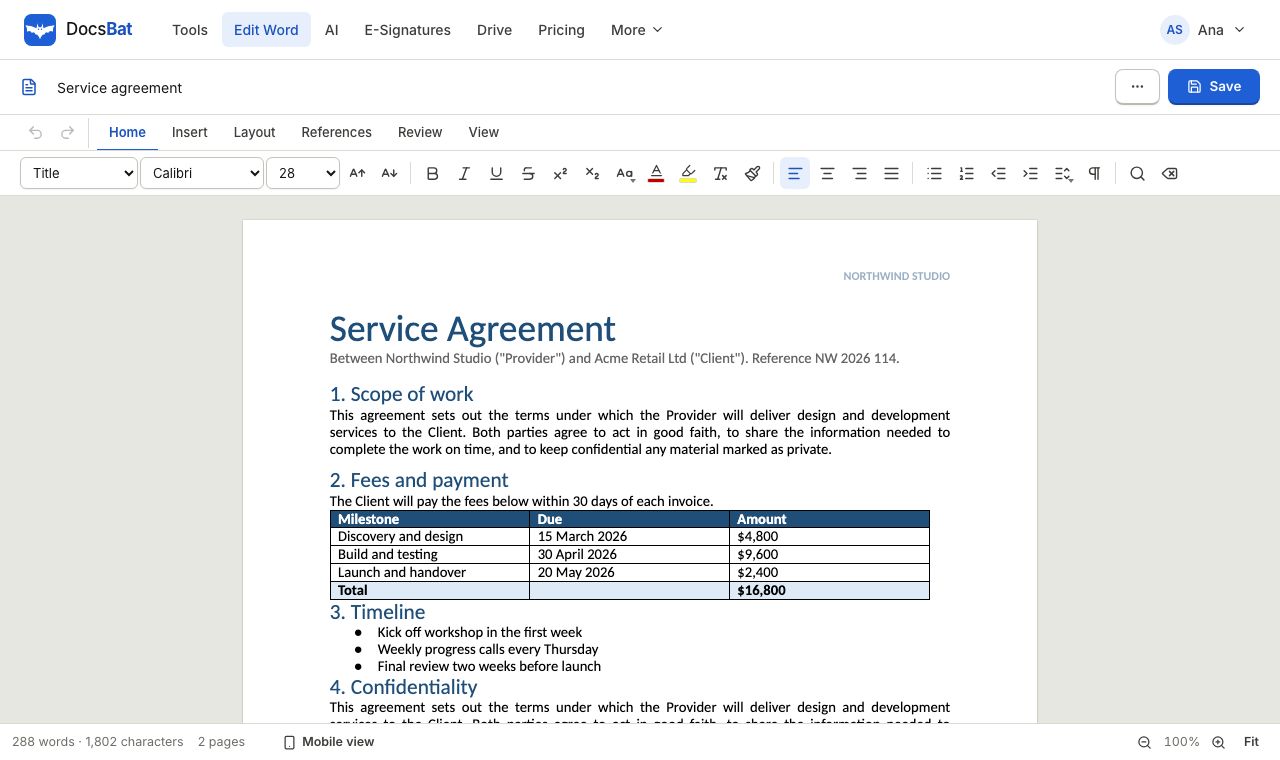 Word EditorOpen a .docx in your browser, edit text, lists, tables and pictures, and save it back as Word or PDF.
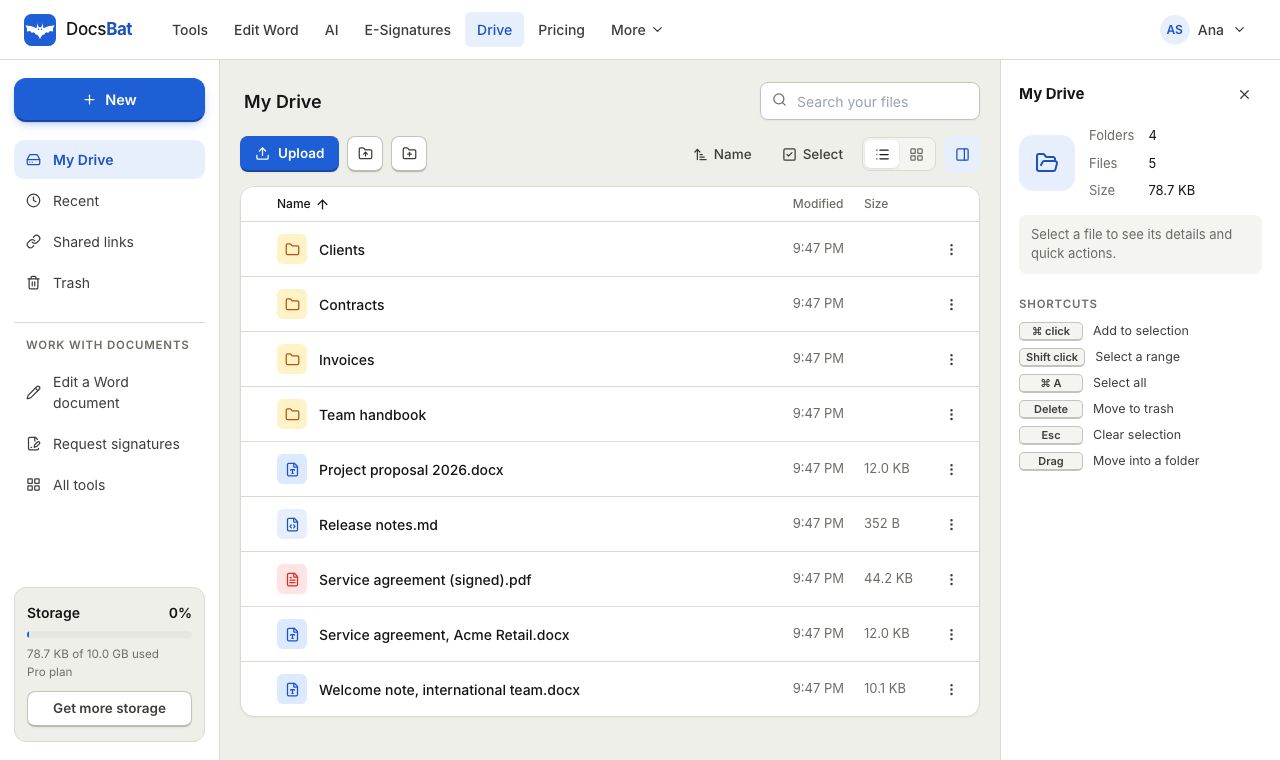 Cloud DrivePrivate cloud storage for Word documents and PDFs, with folders, share links and every tool result saved automatically.
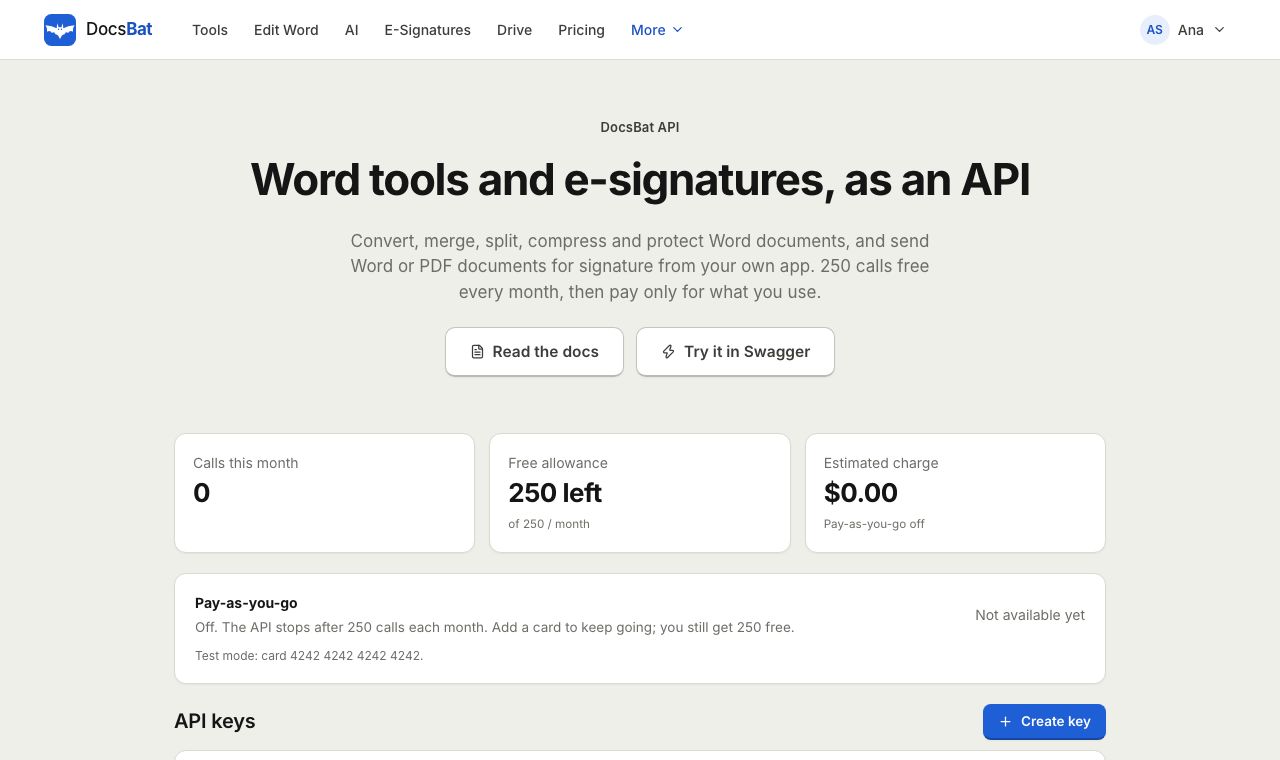 Word APIA REST API for every Word tool, e signatures, templates, Drive, AI and webhooks. 250 free calls a month.
Send your first envelope free
Create a free account, verify your email and send up to 3 envelopes a month. Upgrade to Pro for unlimited signing at $4 a month.